

Introduction
IrisGPT for Slack is an AI-powered assistant that integrates directly into your Slack workspace. It answers common customer and employee questions, retrieves relevant information, and helps your team stay productive, all without leaving Slack.
Ready to get started? Contact us now to schedule a demo and bring IrisGPT to your team.
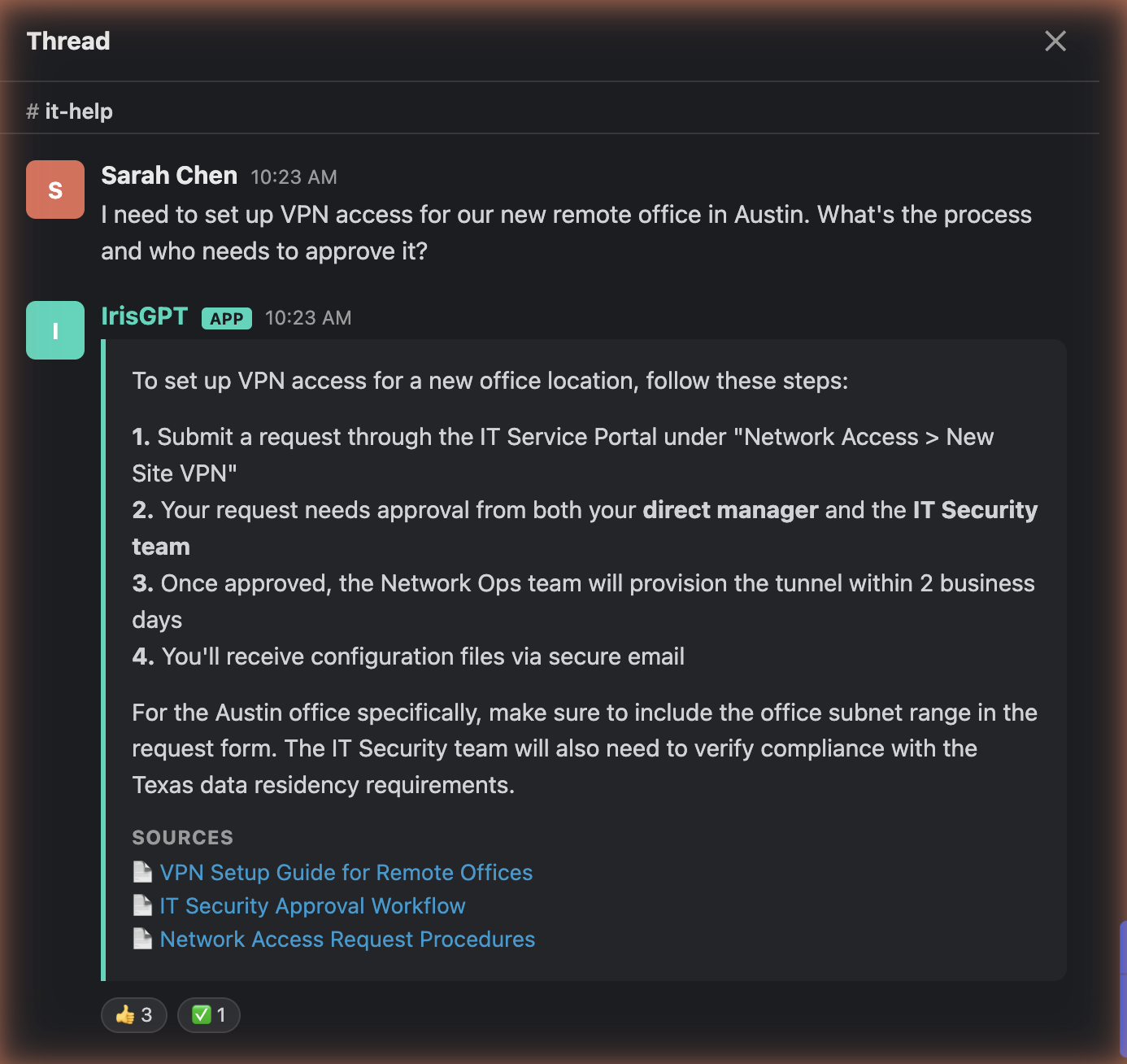
Getting Started
Step 1: Install IrisGPT in Your Slack Workspace
In IrisPortal, open your chatbot deployment settings, find the Slack card, and click Add to Slack. Authorize the app for your workspace when Slack prompts you. No additional setup is required. Your IrisAgent contact handles all app configuration on your behalf.Depending on your workspace configuration, the bot may appear as IrisGPT or IrisGPT Slackbot in Slack. Both names refer to the same app.
Step 2: Choose a Deployment Mode
IrisGPT supports two deployment modes. Discuss your preferred mode with your IrisAgent contact during setup.Option 1: Channel Auto-Reply Mode
IrisGPT automatically responds to messages in the channels where it is added. This mode is ideal for dedicated support or help channels where you want every question answered.Option 2: Mention Mode
IrisGPT only responds when explicitly mentioned with@IrisGPT. This mode is ideal for general channels where you want on-demand assistance without automatic replies.
Step 3: Add IrisGPT to Your Channels
To add IrisGPT to a channel:- Open the channel where you want IrisGPT.
- Click the channel name at the top to open Channel Details.
- Go to the Integrations tab.
- Click Add Apps, then search for IrisGPT and select it.
Using IrisGPT in Slack
Slash Command: /askIrisGpt
Use the slash command to ask a question privately. The response is visible only to you.
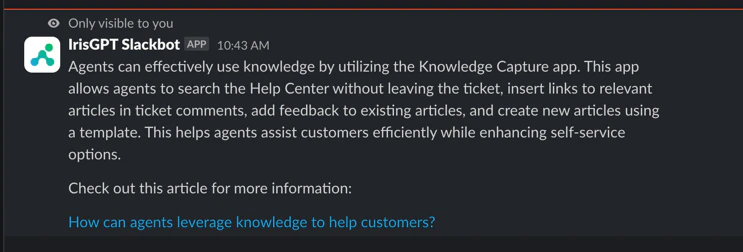
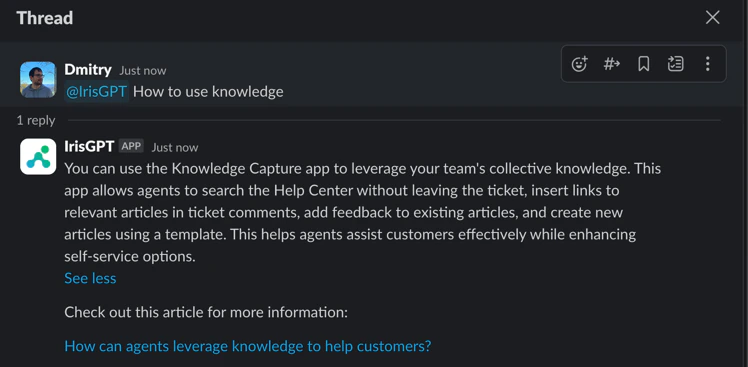
Mention: @IrisGPT
Mention the bot in any channel where it has been invited. The response is posted as a public thread reply, visible to everyone in the channel.
App Home Tab
Open the IrisGPT app in Slack to view the Home tab. It displays a welcome message with a link to the IrisAgent website for additional resources.Proactive Notifications
Beyond answering questions on demand, IrisGPT can proactively post updates to a Slack channel so your team sees important changes without checking the portal.What Gets Posted
- New and trending issue categories: when IrisAgent detects a newly emerging or spiking category of customer issues.
- New AutoKB articles: when IrisAgent automatically generates a new knowledge base article.
Enable Notifications
Notifications are configured in IrisPortal, on the same Slack card you used to connect your workspace.- In IrisPortal, open your chatbot deployment settings and find the Slack card.
- Turn on Enable Slack notifications.
- Choose the channel where updates should be posted.
- Select which updates to receive: New & trending issue categories and New AutoKB articles.
- Save your changes.
The IrisGPT bot must be a member of the channel you select, otherwise posts cannot be delivered. If your channel is not listed or updates are not appearing, invite @IrisGPT to the channel and try again.